


Lil Planner: Visual Schedule
4.742.00 Reviews
App Specs
- Version
- 3.0.32
- Updated On
- License
- Free
- Downloads
- 10,000+
- Developer
- Space Sweater
- Categories
- Parenting
- Platform
- Android
Screenshots
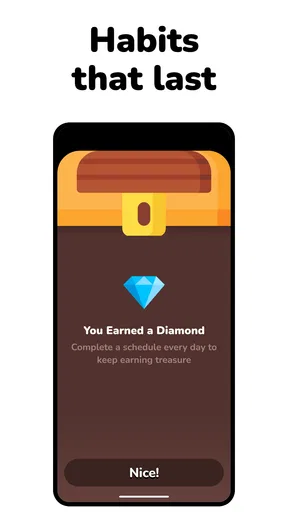
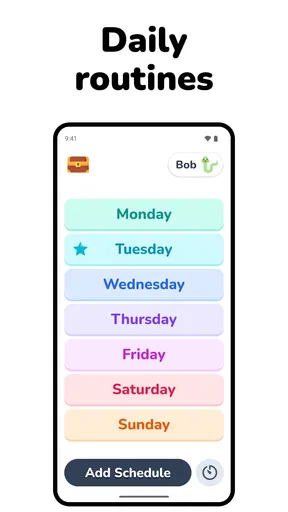
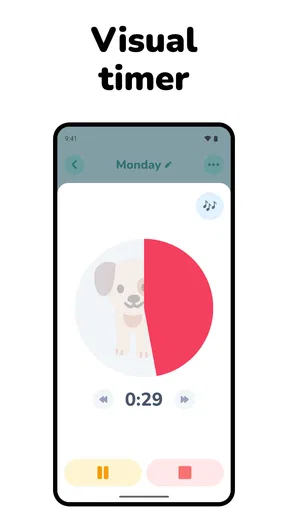
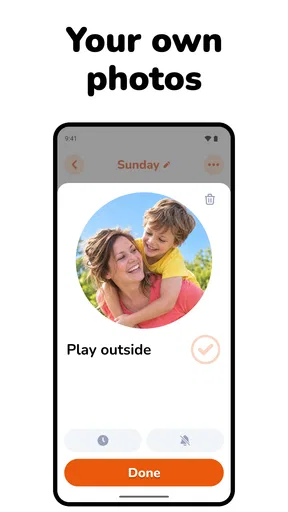
 Analysis by AppCompare
Have you ever felt like your day is a bit like juggling flaming torches while riding a unicycle? Yeah, we’ve all been there. That’s where Lil Planner: Visual Schedule comes into play. This app might just be the solution to transforming your chaotic daily routine into a smooth, well-oiled machine.
A calmer way to approach busy moments
As a parenting app from Space Sweater, Lil Planner: Visual Schedule is aimed at families who want routines to be easier to see and follow, especially when a child benefits from visual structure. Its focus on kids, ADHD, and autism makes the most sense when a parent uses it as a shared prompt: the schedule can make the next step more concrete, while the adult still provides context, encouragement, and flexibility.
A practical routine does not need to cover every minute. I would start with the transitions that cause the most friction: getting dressed, packing a school bag, leaving the house, or winding down before bed. Put only the essential steps in view, then adjust after a few days. A schedule that is too detailed can become another thing to manage; a short sequence gives a child a clearer finish line and gives a parent a quick way to point to what comes next.
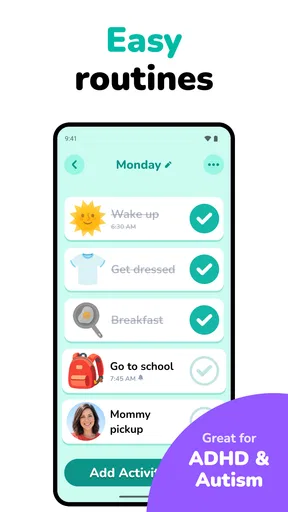
For example, on a school morning, a parent could lay out a sequence from breakfast through shoes and the door. If the child gets stuck between tasks, the visual order can help replace repeated verbal reminders with a simple reference point. It will not remove every delay or disagreement, and it should not be treated as a substitute for support tailored to a child, but it can make the routine easier to talk through together.
The app is free to download and is rated for Everyone. It has a 4.8 average from around 400 ratings and has passed 10,000 installs. Those figures suggest that many families have found it worth trying, though they cannot tell you whether its approach will suit your household. Some in-app purchases range from about $6 to $60 per item, so I would check the available purchase details before relying on paid options as part of a routine.
Getting to Know Lil Planner
So, what’s the deal with Lil Planner? Imagine having a personal assistant in your pocket, always ready to help you keep track of your day. This app is designed to give you a visual representation of your schedule, which can be a game-changer for visual learners or anyone who prefers a more graphic approach to planning.
The first thing you’ll notice is its intuitive design. The app is straightforward and easy to navigate. No Ph.D. in tech required here! You can start creating your visual schedule with just a few taps. From adding tasks to setting reminders, everything is laid out clearly, making it super user-friendly.
Worth Reading Before You Choose

EA SPORTS FC Mobile 26 Is a Bigger Football Game, but It Takes Time

Flipboard Shows What News Apps Must Do Beyond the Feed

Switching to Android Auto Means Rethinking Your Driving Routine

Google Calendar Makes a Crowded Week Easier to Manage

Ludo King Makes the Most of the Minutes Between Plans

Baby Panda World Brings Quick Play to Modern Phones, but Its Game Library Feels Busy
Features That Stand Out
One of the coolest things about Lil Planner is its flexibility. You’re not boxed into a rigid structure, which is perfect if your days are as unpredictable as a cat on catnip. Here are some features that caught my eye:
- Customizable Visuals: You can personalize your schedule with different colors and icons. This isn’t just pretty—it makes it easier to spot what’s on your plate at a glance.
- Reminders: Set reminders so you don’t miss that important meeting or forget to pick up the milk on your way home. Trust me, your future self will thank you.
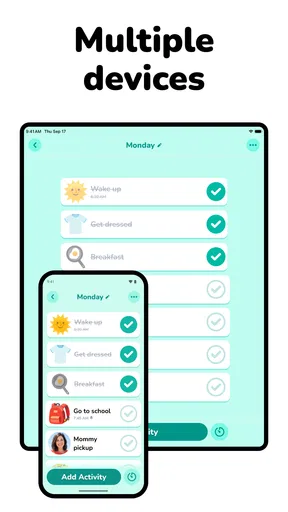
- Sync Across Devices: Whether you’re on your phone or tablet, your schedule syncs seamlessly. No more excuses for forgetting plans!
- Task Management: Break down bigger tasks into smaller, manageable steps. It’s like having your to-do list hold your hand.
Turning a visual plan into a useful habit
The best way to test whether this kind of planner helps is to build one routine with your child rather than trying to organize the entire household at once. Let the child help choose colors or icons where that makes sense. That small choice can make the schedule feel like something they use, not another set of instructions imposed by an adult. Keep the sequence consistent for a while, and change it when the real routine changes instead of editing it every time the day goes off script.
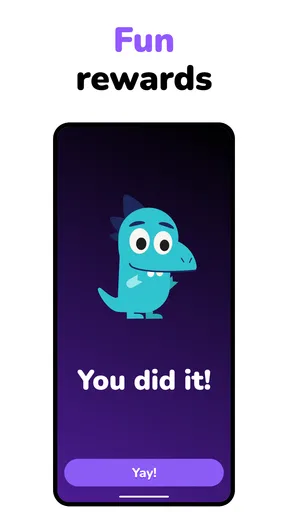
There is also a useful distinction between a schedule and a reward chart. A visual schedule shows what happens next; it does not automatically motivate a child or resolve a disagreement about a task. If the difficulty is remembering the order of steps, a visual plan may help. If the difficulty is sensory discomfort, anxiety, fatigue, or a task that needs to be adapted, the app alone is unlikely to be enough. I would use it as one practical aid in a broader routine, not as a promise that mornings will suddenly run perfectly.
Why You’ll Love It
Aside from its features, what makes Lil Planner shine is how it fits into your life without fuss. You know that feeling when you find something that just works? Yeah, this is it. The app feels like it’s been designed with real people in mind, acknowledging that everyone’s day is different and sometimes chaotic.
Plus, the visual aspect isn’t just a gimmick. It genuinely helps in organizing thoughts and plans. If you’re anything like me, seeing your tasks laid out visually can be incredibly satisfying—and a little motivating, too.
Speed, reliability, and device fit
For a routine planner, perceived speed matters less as a headline number than as a small everyday test: can you open it, understand the next task, and move on without turning the moment into a phone session? The simple layout described here suits quick checks better than a feature-heavy calendar, but families should still try the app on the device the child will actually use. A visual routine is most useful when it is easy to consult in the place where the transition happens.
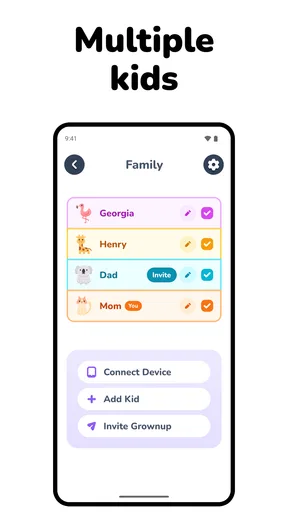
I would also treat syncing as convenient rather than as a reason to skip basic coordination. If more than one caregiver is involved, agree on who updates the routine and when. Otherwise, a well-meant edit on one device could leave adults with different expectations about what the child is supposed to do. The practical habit is to make changes together, then check that the schedule looks right on the device used during the routine.
With a child’s attention in mind, keep the phone from becoming the activity. Open the schedule before the busy stretch, point to the current step, and let the child return to the task. If reminders or notifications become distracting, simplify how you use them rather than adding more prompts. I would not choose this app on the assumption that it will run quietly in the background or use very little battery; the useful test is whether it behaves smoothly on your own device during an ordinary day.
Where it fits among other planning tools
Compared with a paper picture schedule, a phone-based visual planner is easier to revise when a plan changes and can keep tasks and reminders together. Paper, on the other hand, can stay visible on a wall without handing a child a device, and it never competes with games or notifications. A standard calendar is often better for appointments and adult time management, but it can feel abstract when a child needs a short, visible sequence of actions. I see Lil Planner as most useful for that middle ground: more adaptable than a fixed chart, but more child-oriented than a conventional calendar.
It may not be the right fit if your priority is a shared family calendar with detailed scheduling, or if you need a specialist care tool rather than a general routine aid. Nor is a digital planner automatically better for a child who finds screens overstimulating. In those cases, a printed sequence, a basic calendar, or advice from a professional who knows the child may be more suitable. The choice depends on the barrier you are trying to reduce, not on whether an app can display a colorful plan.
Why You’ll Love It
Aside from its features, what makes Lil Planner shine is how it fits into your life without fuss. You know that feeling when you find something that just works? Yeah, this is it. The app feels like it’s been designed with real people in mind, acknowledging that everyone’s day is different and sometimes chaotic.
Plus, the visual aspect isn’t just a gimmick. It genuinely helps in organizing thoughts and plans. If you’re anything like me, seeing your tasks laid out visually can be incredibly satisfying—and a little motivating, too.
Who should try it, and what to check first
I would put it on the shortlist for parents who want a visible sequence for recurring routines, and for older children or adults who prefer breaking a day into concrete steps. It can also be useful when a caregiver wants to make instructions more consistent: rather than remembering a different verbal checklist each morning, everyone can refer to the same order. The app is free to start, but the presence of in-app purchases means I would explore the free experience before building a routine around anything that may require a purchase.
The current version is 3.0.27, and the stated minimum operating-system requirement is version 7.0. Those details help with basic compatibility, but I would still check the app on the intended device before asking a child to depend on it. Try the routine at a calm time first, make sure the visuals are readable, and see whether the child can locate the next step without help. If the interface itself requires constant adult navigation, the schedule may be better kept on paper for that particular child.
Final Thoughts
In the end, Lil Planner is more than just an app; it’s a tool that helps you reclaim your time and sanity. Whether you’re a busy parent, a student trying to juggle classes, or just someone looking to organize their thoughts, this app is worth a shot.
It’s not just about filling your schedule—it’s about making sure you’re ready to conquer your day. So go ahead, give it a try, and watch as your chaotic days transform into organized bliss. And hey, who doesn’t need a little more bliss in their life?
My performance verdict
My overall view is that Lil Planner’s strongest performance case is its focused purpose: presenting a sequence visually, so a child and caregiver can refer to the same plan. I would judge it by whether it makes one repeatable transition calmer, not by how many tasks you can enter. The flexibility and reminders may help, but frequent edits, too many steps, or constant phone checks can undermine the simplicity that makes a visual routine useful.
There is no single setup that will work for every child, and I would not expect an app to recover a disrupted day by itself. If a routine changes, update it when there is time, explain the change in plain language, and keep a backup way to communicate what comes next. For families whose main need is a concise, adaptable visual plan, it is a reasonable free starting point; for those who need a wall-visible chart, a full calendar, or individualized clinical guidance, another option may serve them better.
Pros
- User-friendly interface for easy navigation.
- Customizable schedules to fit personal needs.
- Supports visual aids for better comprehension.
- Includes reminders to keep tasks on track.
- Syncs across devices for accessibility.
Cons
- Limited free version features.
- Occasional sync issues reported.
- No offline mode available.
- Requires internet for full functionality.
- Few personalization options in themes.
FAQs for Lil Planner: Visual Schedule
What is Lil Planner: Visual Schedule and how does it work?
Lil Planner: Visual Schedule is an intuitive app designed to help users organize their daily tasks using a visual scheduling system. The app allows users to create customizable visual timelines with icons and colors, making it easier for visual learners or those with special needs to plan their day effectively. Users can drag and drop activities, set reminders, and view their schedules at a glance.
Is Lil Planner: Visual Schedule suitable for children and adults?
Yes, Lil Planner is designed to be user-friendly for both children and adults. Its visual interface is particularly beneficial for young users or individuals with cognitive challenges, while adults can also enjoy the straightforward scheduling features. The app's flexibility allows it to cater to a wide range of users, making it an ideal tool for families and caregivers.
Can I customize the icons and themes in Lil Planner: Visual Schedule?
Absolutely! Lil Planner offers a variety of customization options, allowing users to select from a range of icons and themes that suit their preferences. This feature is particularly helpful for ensuring that the schedule is visually engaging and easy to understand. Users can also upload their own icons to personalize their planning experience further.
Does Lil Planner: Visual Schedule offer any reminder features?
Yes, one of the key features of Lil Planner is its reminder system. Users can set reminders for different tasks or events, ensuring they stay on track throughout the day. These reminders can be customized to alert users at specific times, providing gentle nudges to complete tasks or transition between activities seamlessly.
Is there a cost associated with downloading or using Lil Planner: Visual Schedule?
Lil Planner offers both a free version and a premium version with additional features. The free version provides basic scheduling capabilities, while the premium version includes advanced customization options, additional icons, and more robust reminder settings. Users can choose the version that best fits their needs and budget, with in-app purchases available to enhance functionality.


